Early bird Pro is $4.99₹499 for the first 100 buyers, normally $9₹899

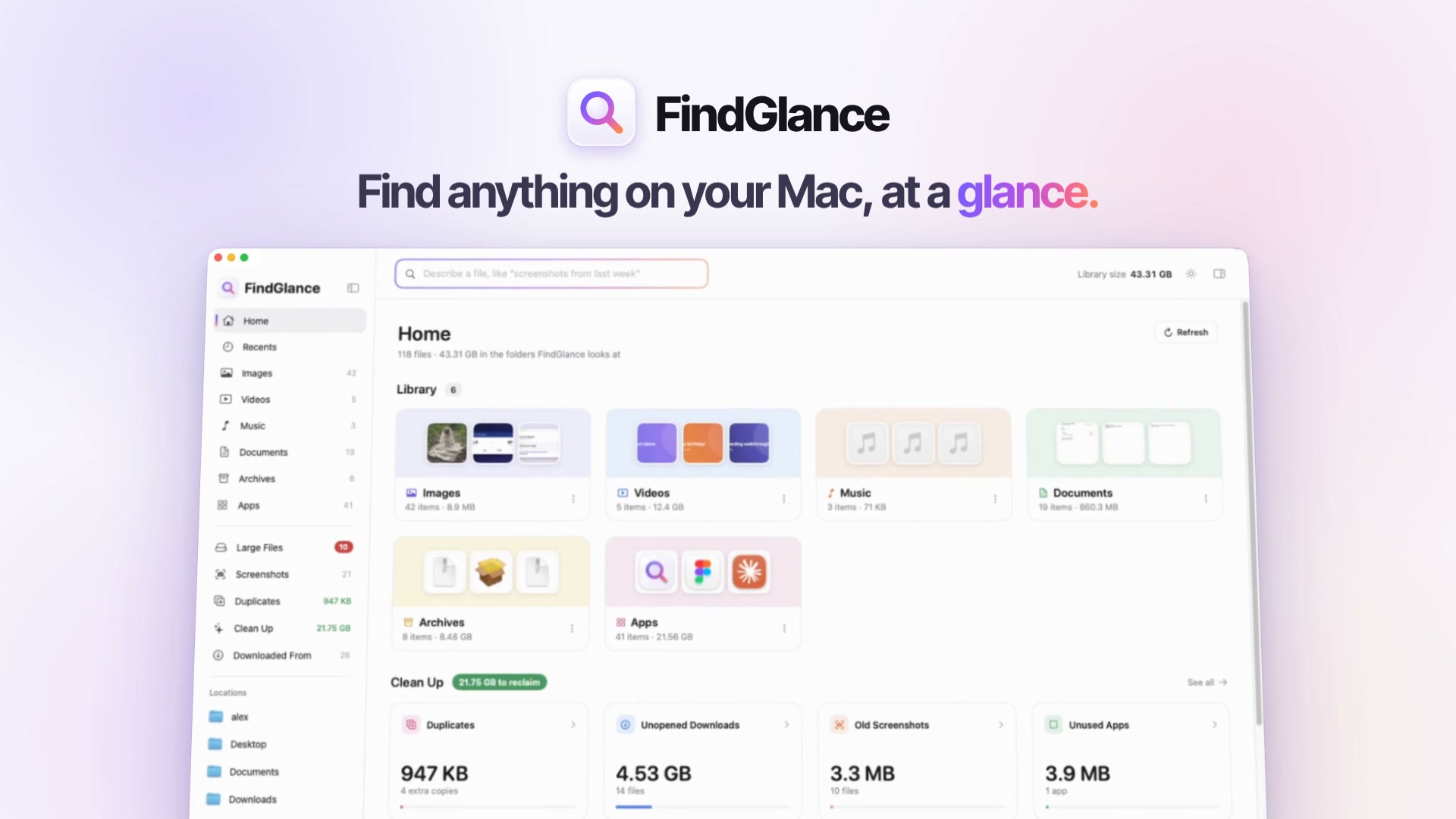
Find anything at a glance.

Search your Mac in plain English, even inside screenshots and PDFs. See where every download came from. Clear out gigabytes. All of it happens on your Mac.

7 days free, no card or email · macOS 14 or later · Apple silicon and Intel

Library size 84.6 GB

Recents

Sample library

Try
Knows downloads from
  • Gmail
  • WhatsApp
  • ChatGPT
  • Slack
  • Google Drive
  • Any website
Reads the words in
  • Screenshots
  • Photos
  • PDFs
  • Search the way you talk

    Type “invoice from gmail” or “big videos older than a year”. FindGlance works out the kind of file, when it’s from, how big it is and where it came from.

  • Reads your screenshots

    The text recognition built into macOS makes the words in your screenshots, photos and PDFs searchable.

  • Never leaves your Mac

    Indexing, text recognition and duplicate checks all run on your Mac. No account, no cloud copy, no analytics.

  • Try it free, pay once

    Every feature free for 7 days, no card or email. Pro is a single payment with every 1.x update and a 14-day refund.

The tour·52 seconds

See FindGlance in under a minute.

Plain-English search, the words inside screenshots, where every download came from, duplicates and clean-up. Turn the sound on.

Text recognition

Screenshots you can search.

FindGlance reads the words in your screenshots and photos with the text recognition built into macOS, and searches the text inside your PDFs too. Try it on these three.

3 screenshots, all searchable

Screenshot of a boarding pass.png

Desktop

Screenshot of an order.png

Desktop

Screenshot of a recipe.png

Desktop

Downloads·Duplicates·Clean Up

The clutter, handled.

Where a file came from, which copy to keep and what’s safe to clear: the jobs Finder leaves to you, done in one window.

Downloaded From

Know where every download came from.

macOS saves the address behind each download. FindGlance uses it to sort your files by source, from Gmail and ChatGPT to any website.

  • Gmail41 files, 212 MB
  • ChatGPT38 files, 61 MB
  • WhatsApp186 files, 744 MB
  • Slack27 files, 1.2 GB
  • Google Drive22 files, 3.4 GB
  • GitHub9 files, 38 MB
  • Figma12 files, 96 MB
  • Any other website534 files, 6.8 GB

Duplicates

Duplicates and look-alikes.

Exact copies are matched by their contents. Similar photos sit side by side, so you keep the best shot.

402 KB can be freed. Click a photo to switch it.

Clean Up

See what’s safe to clear.

Suggestions come with their sizes. You confirm every removal, and files go to the Trash so you can put them back.

Ready to reclaim23.3 GB

Finder habits

Your shortcuts still work.

Quick Look, an Inspector, view options for each folder, Group By, rename in place and drive eject, all on the shortcuts you know.

  • SpaceQuick Look
  • ⌘IInspector
  • ⌘JView Options
  • ⌘1Grid view
  • ⌘2List view
  • ⌘EEject a drive

Privacy

It finds your files. It never takes them.

Indexing, text recognition and duplicate checks all happen on your Mac. There’s no account to create and no cloud copy of anything. FindGlance goes online only to check your license and look for updates.

Stays on your Mac

  • The index of your files and their thumbnails
  • The text it recognizes in images and PDFs
  • Duplicate checks and Clean Up suggestions
  • Every search you run
  • Your trial’s start date, kept in the Keychain

Never sent anywhere

  • File names
  • File contents
  • The text inside your screenshots and PDFs
  • What you search for
  • Analytics or crash reports
Files uploaded
None
Accounts needed
None
Network checks
2
  • License check. Your license key, an identifier for your Mac and the app version, sent to Dodo Payments.
  • Update check. The version of FindGlance you have, sent to findglance.com.
  • No trackers here either. This website sets no cookies. The privacy policy has the details.

Why FindGlance

Finder shows your files. FindGlance finds them.

Finder and Spotlight are good at names. FindGlance also understands what you mean, reads what’s in the picture and remembers where each file came from.

Capability Finder and Spotlight FindGlance
Search in plain EnglishSome phrasesYes
Find the words inside screenshotsSlowly and unevenlyYes, on your Mac
Sort downloads by where they came fromOne file at a time, in Get InfoYes
Duplicates and similar photosNoYes
What’s safe to clear, with sizesPartly, in Storage settingsYes, and you confirm each one

Pricing

Try it all free. Pay once for Pro.

No card and no email to start. When the trial ends, enter a license key to keep using FindGlance. Pro is a single payment, not a subscription.

  1. Day 1Download and use every feature.
  2. Day 5A quiet heads-up that 3 days are left.
  3. Day 8Enter your license key to keep going.

Free trial

7 daysevery feature

See what FindGlance finds on your own Mac before you pay. No card, no email.

Try free for 7 daysComing Nov 10
  • Every Pro feature, from the first launch
  • A heads-up 3 days before it ends
  • Then enter a license key to keep going
  • Nothing is moved or deleted when it ends

Early bird · first 100 buyers

Pro

How many Macs

$4.99Regular price $9one-time

Early-bird price for the first 100 buyers, then $9. One license for 1 Mac.

Buy Pro · $4.99
  • Everything in FindGlance
  • Plain-English search
  • Search the text inside images and PDFs, and Copy Text
  • See where every download came from
  • Duplicates and similar photos
  • Clean Up, with Move to Trash in bulk
  • Every 1.x update
  • 14-day refund, no questions asked
  • Secure checkout by Dodo Payments, who also handle sales tax and VAT
  • Move your license to a new Mac whenever you like
  • Terms and refunds

FAQ

Questions, answered plainly.

Something else on your mind? Email support@findglance.com.

Does FindGlance upload my files?

No. Indexing, text recognition, duplicate checks and search all run on your Mac. FindGlance only goes online to check your license and look for updates, and neither sends anything about your files.

Why does macOS ask for access to my folders?

macOS protects Desktop, Documents and Downloads, so any app that shows your files has to ask first. You can choose which folders FindGlance looks at in Settings.

What happens when the trial ends?

FindGlance asks for a license key. It shows what it found on your Mac, like how much space you can clear and how many screenshots it can search, with a link to buy Pro. Nothing is moved or deleted when the trial ends.

Is it a subscription?

No. Pro is a one-time payment: $9 for 1 Mac, $19 for 3 Macs or $29 for 5, and the first 100 buyers pay $4.99, $9.99 or $14.99.₹899 for 1 Mac, ₹1,899 for 3 Macs or ₹2,899 for 5, and the first 100 buyers pay ₹499, ₹999 or ₹1,499, plus GST. It includes every 1.x update. If there’s ever a version 2, owners get it at half price.

How many Macs can I use it on?

As many as your license covers: 1, 3 or 5 Macs, depending on which you buy. Getting a new Mac? Choose Deactivate This Mac on the old one, then activate the new one with the same key.

Will FindGlance delete anything on its own?

Never. You confirm every removal, and files go to the Trash, so you can put them back.

Does it replace Finder?

It works alongside Finder. Use FindGlance to find and tidy, and Show in Finder whenever you want the classic view.

What do I need to run it?

A Mac with macOS 14 Sonoma or later. FindGlance runs natively on Apple silicon and Intel.

Can I get a refund?

Yes. Email us within 14 days of buying and we’ll refund you, no questions asked.

What about files stored only in iCloud?

Files that aren’t downloaded to your Mac are skipped for text recognition and duplicate checks, and left out of Clean Up, because moving them to the Trash would free no space.

Stop digging through folders. Find it at a glance.

Download FindGlance and try every feature free for 7 days.FindGlance launches on Tuesday, November 10, with every feature free for the first 7 days.

macOS 14 or later · Native on Apple silicon and Intel · No account